
You can use your search bar to look up Bible passages directly! No more loading first, then searching (or searching and clicking the top search result to see the verse). Here’s how to do it in Chrome:
From Settings, choose “Search Engine.”
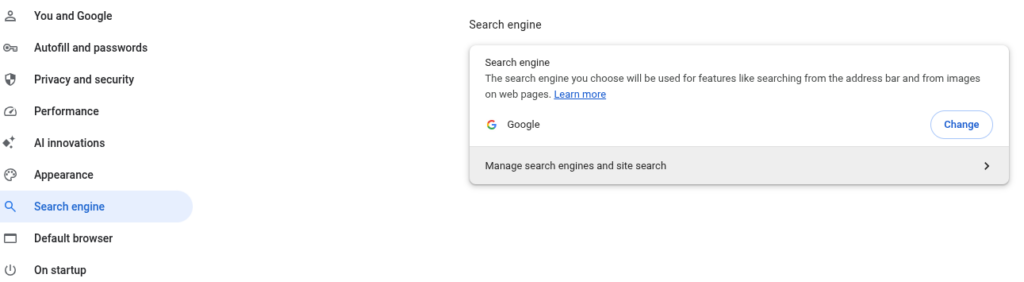
Click “Manage search engines and site search.”
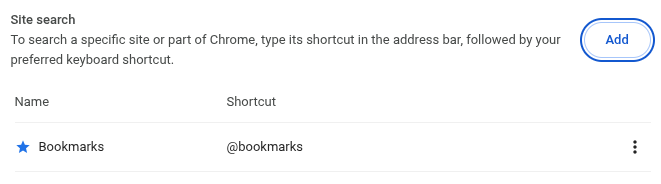
Click “Add” and enter this information into the form:
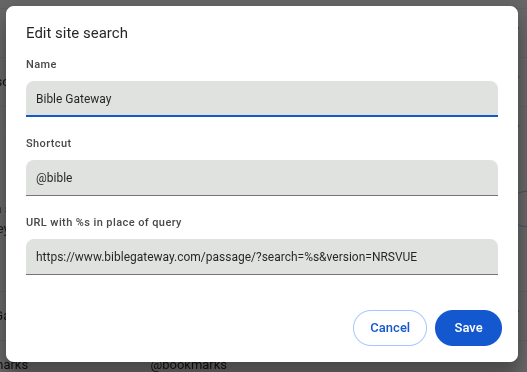
Copy this URL: https://www.biblegateway.com/passage/?search=%s&version=NRSVUE
In your Search bar, try searching “@bible John 1:23” and you should go straight to Bible Gateway:
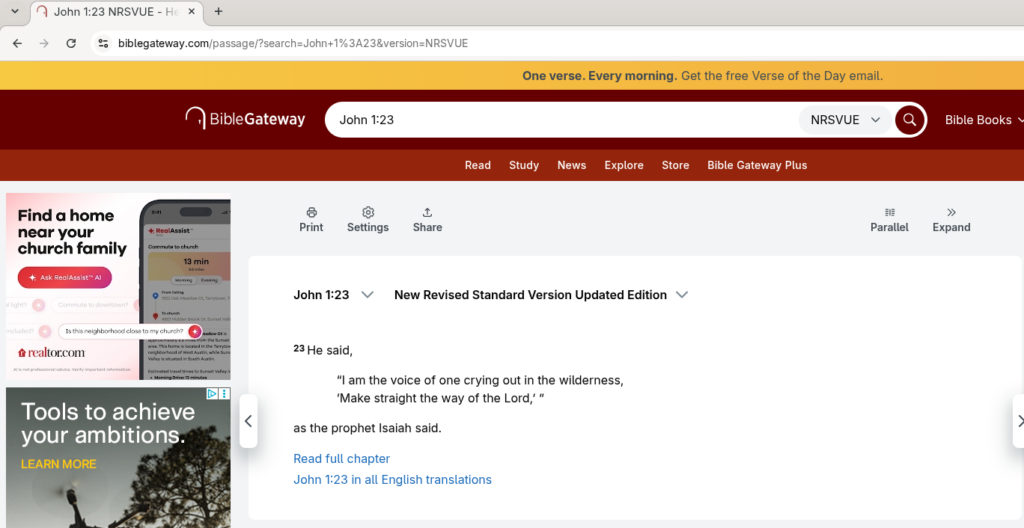
Done! Now you can search directly from the Search bar rather than loading Bible Gateway first OR searching Google for the Bible verse and then choosing from its too-many results and AI responses.
The steps are nearly identical in Firefox and other popular browsers.